Updated 2026-09-30 · Managing Editor
Best Meeting Recorder Devices for In-Person Meetings
This shortlist is for physical meeting recorder devices used in the same room as the speakers—not bots that join Zoom, Google Meet, or Microsoft Teams, and not a phone or desktop recording app. Start with microphone placement and room size, then trace what happens to the raw audio, transcript, and subscription cost.
By AIRecorder.net Research Desk
Recommendations start with our source-backed product records. Where we cite independent hands-on coverage, it is attributed and kept separate from our research. AIRecorder.net did not conduct those external tests, and products without independent use evidence are identified explicitly.
Choose the capture layer
Do you need hardware, a meeting bot, or recording software?
The phrase “meeting recorder” can mean three different things. This page ranks only physical devices that hear a conversation in the room.
Physical meeting recorder device
Choose dedicated hardware for face-to-face meetings when you need a physical record control, onboard storage, or a microphone that can sit on the table or close to a speaker.
Watch for: Placement determines what the microphones hear. A published pickup range is a vendor claim, not proof that every voice will be clear in your room.
Meeting bot or platform note taker
Choose a bot or built-in Zoom, Google Meet, or Microsoft Teams feature for scheduled online meetings when the organizer permits it and participants can access the result.
Watch for: Bots do not capture an ordinary in-person room by themselves and can be blocked by licenses, admission rules, or organization policy. They are not ranked here.
Phone app or desktop recording software
Choose software when the microphone already in your phone or computer can hear the room and avoiding another device matters more than a dedicated capture control.
Watch for: Operating-system permissions, background limits, notifications, and laptop placement become part of reliability. Apps and desktop software are not ranked here.
Before you buy
What to check in meeting recorder hardware
Microphone placement and room size
A wearable stays close to one person; a table device hears more of the room but may lose distant voices. Match placement to the seating plan, and treat published pickup ranges as unverified until independently measured.
Raw-audio recovery
Check whether the original recording remains available after a failed sync or transcription job and whether it can be replayed or exported in a standard audio format. An AI summary alone is not a recovery path.
Transcription workflow
Map every handoff from recorder to phone or computer and then to a local or cloud transcription engine. Language lists and speaker labels do not prove accuracy in your room.
Subscription cost
Compare the included monthly minutes with your real meeting volume, then add annual prepayment, overage, and any feature tier required for summaries or exports.
Export and privacy
Confirm which audio and transcript formats leave the vendor workspace, where processing occurs, how long cloud copies remain, and how recordings and the account can be deleted. Local capture does not imply local transcription.
Visible recording cues
A light, display, or deliberate physical control can make disclosure easier, but it does not obtain consent or replace the recording rules that apply to the participants and location.
At a glance
Meeting recorder device shortlist
Best-supported portable device for close-range meetings
soundcore Work →Best for in-person meetings plus phone calls
BOYA Notra →Desk-first local workflow to watch
OneMira C1 →Method
How we screened in-person meeting hardware
- 01A published physical product record with explicit in-person meeting capture and current evidence of US availability or preorder status
- 02Documented form factor, microphone placement, pickup range, storage, and endurance where disclosed, without inferred room coverage
- 03Raw-audio retention and export checked as a recovery path after failed sync or transcription, with missing answers left visible
- 04A traceable transcription workflow covering phone or computer handoff, processing location, export, deletion, and plan terms
- 05Hardware and subscription cost kept separate, with undisclosed prices and changing allowances left visible
- 06Recording controls and visible cues considered without treating them as proof of participant consent
- 07Attributed independent meeting-use evidence reviewed where available, with no claim that AIRecorder.net performed hands-on testing
Candidates
Why each physical recorder fits a meeting workflow
#1 · Best-supported portable device for close-range meetings
soundcore Work
- Form
- Wearable
- Subscription
- Optional
- Price
- $159.00
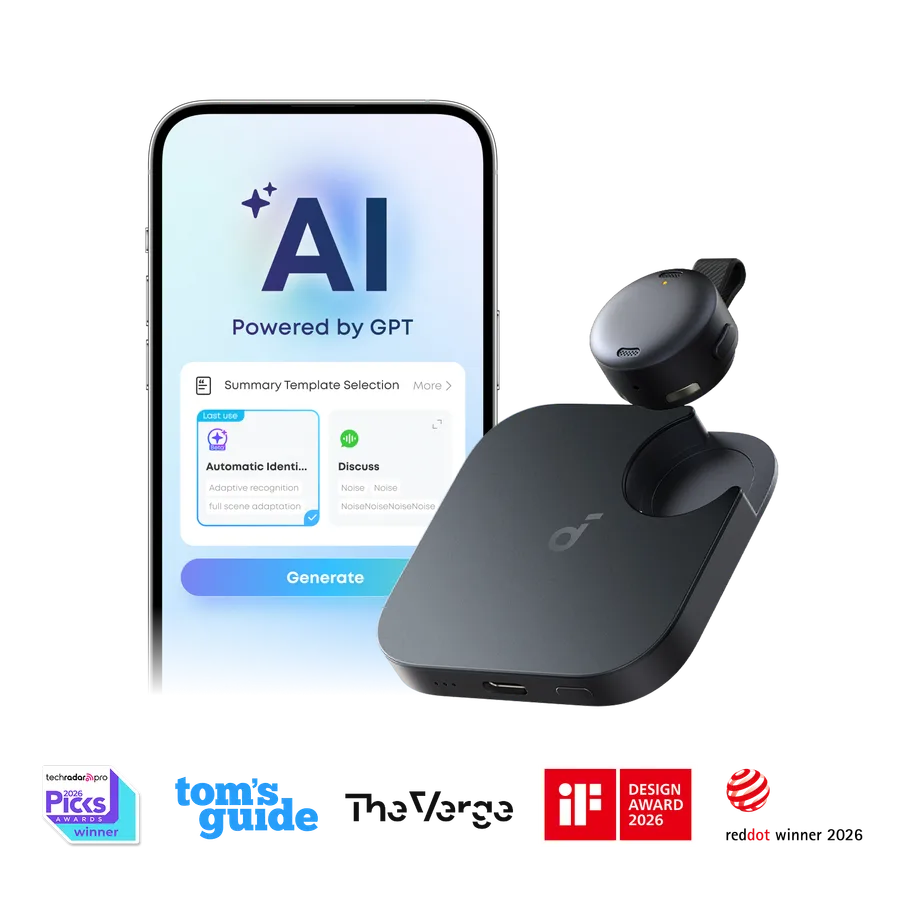
soundcore Work is the most portable physical option here, designed to stay near the person wearing it rather than sit at the center of a table. Attributed third-party tests support its quick sync and usable transcript workflow, but AIRecorder.net has not measured its room coverage or audio quality.
Independent use evidence
Two independent reviews agree that the tiny wearable form is genuinely convenient and that recorded speech moves quickly into usable transcripts and summaries. The recurring plan cost remains the main drawback, and one iPhone test encountered a Find My setup failure that Soundcore later said was fixed for production units.
- Cult of Mac: Soundcore Work AI Note Taker reviewThe reviewer wore and recorded with the device, finding clear audio, fast transcription, automatic iPhone upload, and useful haptic markers. Find My failed during the test, and the paid plan materially increased ownership cost.
- Impulse Gamer: Anker soundcore Work reviewTesting found the recorder easy to wear, straightforward to sync, reliable at separating speakers, and fast at processing a long recording. The review also warned about subscription cost and the need to export recordings before removing the app.
Evidence checked 2026-07-26 · Confidence: moderate
Limits to know
- — Its wearable position can favor the nearest speaker; published pickup range is not a large-room guarantee.
- — The official record says audio cannot be exported over USB, so confirm the app recovery path before relying on it as an archive.
- — The paid plan can materially increase long-term cost.
- — The strongest integration evidence comes from iPhone testing.

#2 · Best for in-person meetings plus phone calls
BOYA Notra
- Form
- Card
- Subscription
- Optional
- Price
- Unknown
BOYA Notra is a physical card recorder with 64GB storage and documented MP3 and WAV export, so it offers a clearer raw-audio fallback than summary-only workflows. Attributed independent testing confirms its in-room and call flexibility while reporting weaker noisy-room results than its specifications imply.
Independent use evidence
Independent testing supports the three-mode concept, but the workflow is less seamless than the specification sheet suggests. Call capture needs a manual mode change, the Bluetooth-headset route requires a cable, and one noisy-room comparison found more background noise and transcription mistakes than Plaud Note Pro.
- Can Buy or Not: Boya Notra review: Decent debutThe reviewer recorded in meeting and call workflows, found the physical controls reassuring, and confirmed that the main features worked. They also found the app unfinished, the headset setup clumsy, and noisy-room audio less clear than the comparison device.
Evidence checked 2026-07-26 · Confidence: moderate
Limits to know
- — No verified US hardware price is published, so a complete ownership-cost comparison is not available.
- — One independent noisy-room comparison found more background noise and transcription mistakes; it is not a proven large-room winner.
- — The app and summary templates were still developing during independent testing.
#3 · Desk-first local workflow to watch
OneMira C1
- Form
- Desktop
- Subscription
- None
- Price
- $99.00
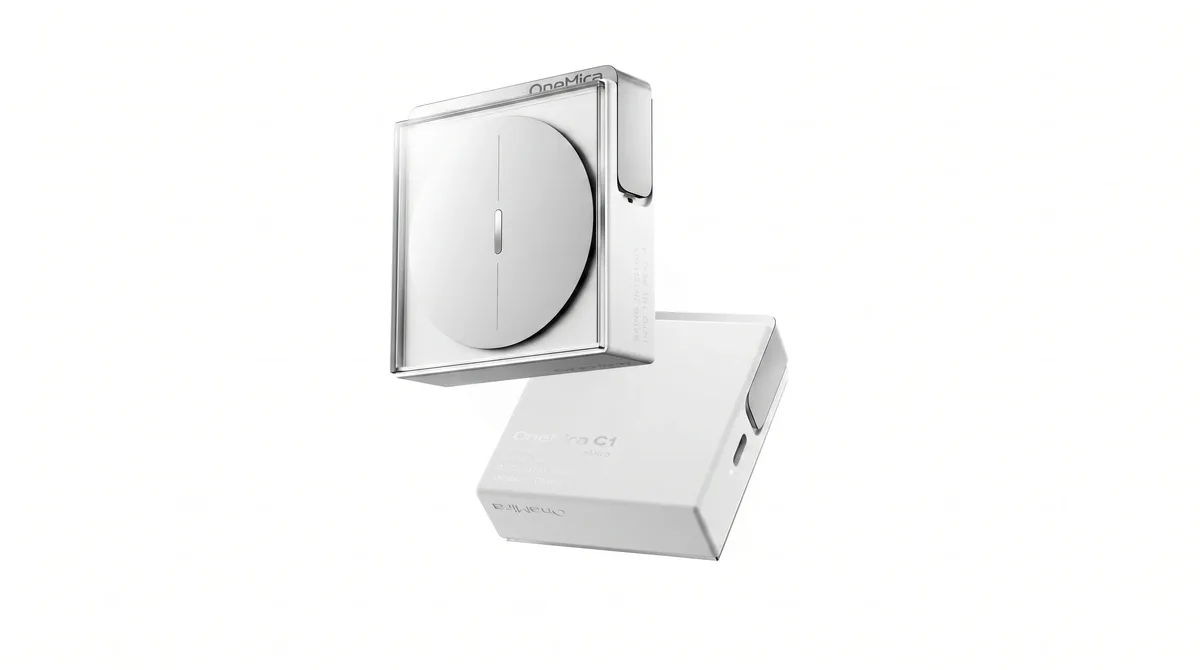
OneMira documents C1 for a fixed desk, local computer transcription, and a visible recording cue without a recurring vendor plan. OneMira C1 is available to order from the manufacturer. See the official product page for current pricing and delivery estimates. Its meeting-room performance remains unverified by AIRecorder.net.
Independent use evidence
No independent hands-on review or attributable owner report was found. The desk-first placement remains a source-backed option to watch, not an experience-validated recommendation.
Evidence checked 2026-07-26 · Confidence: limited
Limits to know
- — Room coverage and transcription quality have not been independently tested.
- — The published workflow documents local text and Markdown export, not a conventional long-term raw-audio archive.
- — Delivery estimates can change; AIRecorder.net has not independently verified fulfillment or production behavior.
Not ranked
What this hardware shortlist leaves out
Meeting bots and platform note takers
Bots that join a call and built-in Zoom, Google Meet, or Microsoft Teams note-taking features are software services, not physical in-room recorder devices. They belong in a software workflow comparison.
Phone apps and desktop recording software
Software that records through an existing phone or computer microphone may be the right answer, but this shortlist does not compare operating-system permissions, background capture, or per-seat software plans.
Phone-call-only or online-only hardware
A physical accessory is still excluded when its published record does not explicitly support in-person room capture.
Recorders without current purchase-status evidence
A meeting recommendation is not useful when current US availability, preorder status, or a verifiable purchase path cannot be established.
Check the device facts against your meeting workflow
Browse the physical recorder database, apply your meeting volume in the ownership cost calculator, or use the AI recorder vs AI note taker guide to decide whether hardware fits at all. Then compare up to four devices with unknown facts left visible.